
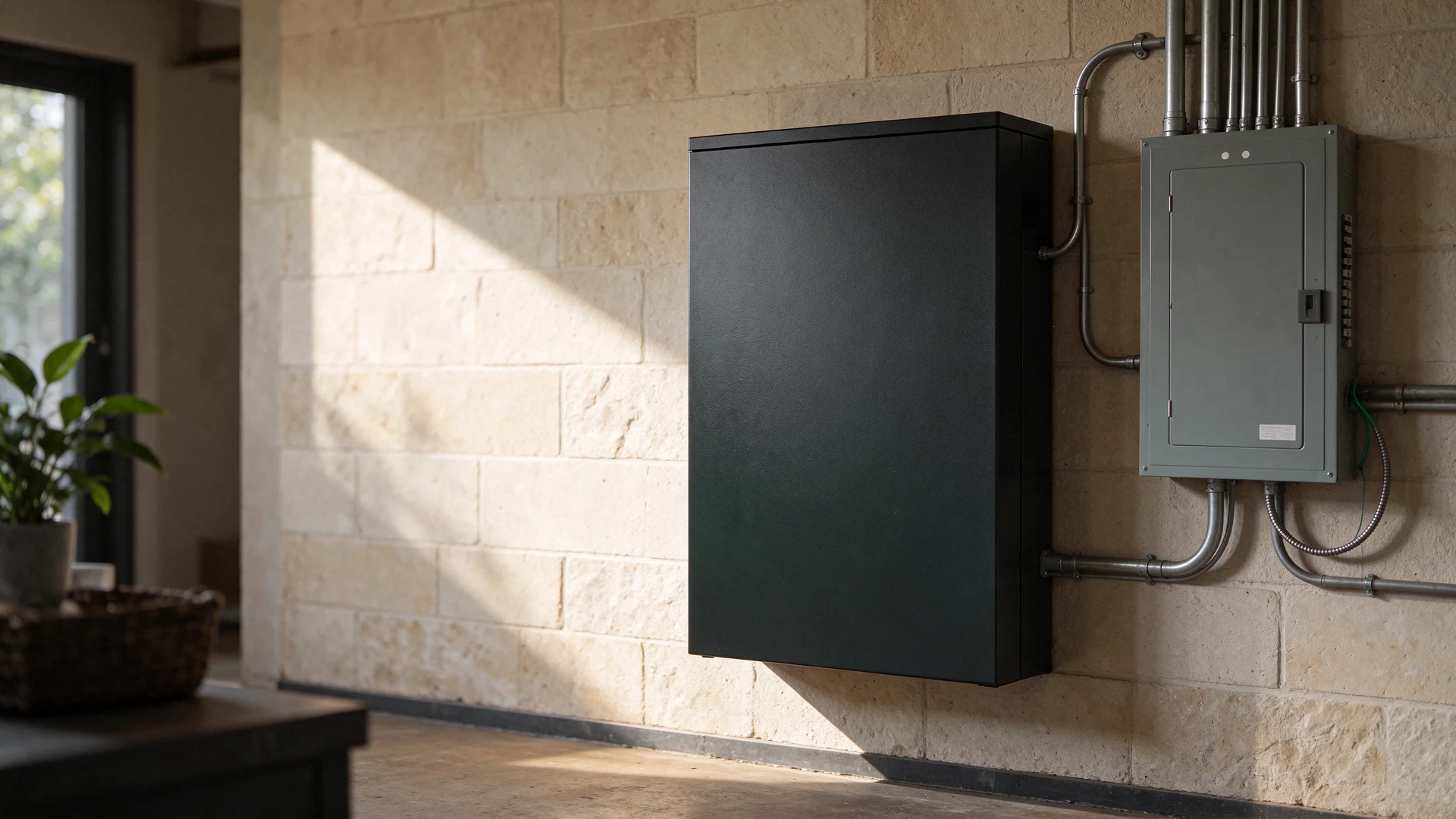
A home battery backup can keep selected equipment running when the grid goes down. A whole-home battery backup still does not mean every appliance can run for days. The right system depends on what you need to power, how long an outage may last, and whether your battery can safely connect to your home’s electrical system. Start with the loads and circuits that matter most. Then compare stored energy, output, integration equipment, recharge options, and installed cost. This guide explains those decisions in plain language so you can build a realistic plan before requesting quotes.
First, decide what “backup” means for your household
There are three common levels of backup. They solve different problems, and the right choice may be smaller than you expect.
Room-by-room backup uses a portable power station to run selected devices through its built-in outlets. It is a practical fit for phones, lights, a modem/router, laptops, and some small appliances. It does not energize household wiring unless the specific system is designed and connected for that purpose using compatible equipment.
If you only need power for individual devices, see our portable power station guide before comparing a home battery backup system.
Essential-circuit backup connects a battery system to selected circuits, often through a transfer device or a critical-loads subpanel. This can support chosen lights, refrigeration, outlets, or other circuits. It still requires you to prioritize loads, and the system must be sized for their simultaneous demand and the outage duration you want to cover. Backup equipment must isolate the home from the utility grid while operating; improper connections can send power back onto utility lines and endanger workers.[1]
Broader whole-home backup is designed to supply a larger portion of the home, potentially including 120-volt and 240-volt circuits. The phrase describes the system’s design intent, not a guarantee that every load can run at once or indefinitely. Large loads such as central air conditioning, electric resistance heat, electric water heating, ranges, dryers, and well pumps can quickly raise the required output and stored energy. Ask the installer which loads are included, which are automatically managed or shed, and what happens when several large appliances start together.
A battery can also be paired with solar or another charging source. But an existing grid-tied solar array may shut down during an outage unless the system is specifically configured to operate safely while disconnected from the grid. Anti-islanding protections help prevent a solar system from energizing utility lines during an outage; backup operation requires compatible equipment and design.[1] [2]
Home battery backup sizing: power and energy
Battery specifications use two measurements that answer different questions.
Power, measured in watts or kilowatts, is how much the system can supply at one time. The battery inverter’s continuous output needs to cover the loads operating together. Motors and compressors can also draw more power briefly when they start. Check both running and starting requirements for equipment such as refrigerators, pumps, and air conditioners. A system with enough stored energy can still trip or refuse a load if its output or surge capability is too low.
Energy, measured in watt-hours or kilowatt-hours, is how much electricity the battery stores. One kilowatt-hour equals 1,000 watt-hours. More stored energy generally means a longer runtime for the same load, but actual runtime varies with appliance cycling, operating conditions, inverter losses, battery reserve settings, and the system’s usable capacity.
Your electric bill can provide a useful household baseline: divide the kilowatt-hours used during a billing period by the number of days in that period. Compare that average with your essential-load worksheet, but do not treat the monthly average as a complete outage estimate. Seasonal use can change, and many households plan to run fewer loads during an outage.[7]
Use this simple worksheet to create a first-pass estimate:
- List each device or circuit you want to keep powered.
- Find its running wattage or measured energy use. For a circuit, ask an electrician to help identify the actual connected loads.
- Estimate how many hours each load will run during the outage. For equipment that cycles on and off, estimate its average use over that period rather than assuming it runs continuously.
- Multiply watts by hours for each load, then add the results. Convert watt-hours to kilowatt-hours by dividing by 1,000.
- Separately add the running watts of loads that may operate at the same time. Check startup surges and 240-volt requirements against the system’s output specifications.
Example, not a sizing recommendation: If a device averages 100 watts for 10 hours, its estimated energy use is 1,000 watt-hours, or 1 kWh. This does not mean a 1-kWh battery is enough: usable capacity, conversion losses, reserve settings, and other simultaneous loads still matter. Do not size a medical device or critical household system from a generic online estimate. Use measured or manufacturer-specified data and get professional advice for hardwired circuits.
If your goal is to cover an overnight outage, make the worksheet for that period. If you need to prepare for a multi-day outage, include how you will recharge the battery, what loads you will cut, and what backup option you will use if weather or fuel availability prevents recharging. A larger battery stores more energy; it does not create energy. Solar can recharge compatible systems when conditions allow, but production changes with weather, season, shading, panel orientation, and system limits.[1] [2]
Compare the full system, not just the battery capacity
A home-backup system may include batteries, an inverter, control equipment, a transfer switch or backup panel, and optional solar or generator inputs. Compatibility among these parts matters. Ask for a written system design that identifies the equipment model numbers, supported voltages, backed-up circuits, expected operating limits, and expansion path.
A manufacturer example illustrates why product names and bundles need close attention. EcoFlow lists the DELTA Pro Ultra as a modular system with 6,144 Wh of capacity and 7,200 W of AC output in a base configuration, with larger configurations advertised through additional inverters and batteries. The company’s Smart Home Panel 2 is a separate integration component that connects compatible equipment to home circuits and requires installation by a qualified electrician. Confirm the exact system configuration, electrical compatibility, and included equipment before comparing it with another quote; a portable power station alone is not the same thing as a professionally integrated home-backup system.[3] [4]
Compare at least these items:
- Usable capacity: How much energy is available to the backed-up loads after the system’s reserve and operating limits?
- Continuous and surge output: What can it power at once, and can it start the motors or compressors on your load list?
- Voltage and circuit support: Does it support the 120-volt and 240-volt circuits you intend to back up?
- Transfer and control: Does it switch automatically or manually? Which circuits are included, and can the system shed lower-priority loads?
- Recharge options: Can it charge from the grid, compatible solar, or a generator? What are the input limits and the expected recharge conditions?
- Expansion and warranty: Can capacity be expanded later? What do the warranty, service, and replacement terms cover?
- Installation scope: Does the quote include electrical work, permits, inspection, panel changes, commissioning, and any required service upgrades?
- Placement and operating limits: Does the proposed location meet the manufacturer’s temperature, moisture, clearance, and access requirements?
Do not compare systems by watt-hours alone. A system with a large energy figure may have inadequate output for a particular appliance, lack the right voltage, or require integration equipment that is not included in the advertised package.
Plan installation and electrical safety before buying
A stationary battery or home-panel integration is an electrical project, not a plug-in accessory. Have a qualified electrician review the service panel, planned circuits, transfer equipment, system compatibility, and local permitting requirements. Ask who is responsible for permits and inspection, and request a commissioning walkthrough that explains the system’s controls, backup limits, and shutdown procedure. Never connect a battery or generator to home wiring through an improvised cord or setup. A correctly designed transfer arrangement prevents the backup source from energizing utility lines while the grid is down.[1]
If you also keep a fuel-powered generator, follow the manufacturer’s instructions and official safety guidance. The U.S. Consumer Product Safety Commission says portable generators must be used outdoors, far from the home and away from openings. Ready.gov advises placing generators at least 20 feet from windows, doors, and attached garages, and having working carbon-monoxide alarms on every level of the home.[5] [6] Never run a generator inside a home, garage, basement, shed, or carport. Do not use a gas range or oven to heat the home.[6]
Plan separately for medical equipment and refrigerated medicine. Ready.gov recommends discussing outage plans with a medical provider and identifying alternate arrangements for power-dependent devices or medicines that require refrigeration.[6] A home battery is not a substitute for a clinician’s instructions or a guaranteed medical-power plan.
Home battery backup cost: compare complete quotes
The battery’s advertised price may not represent the installed project total. Request itemized quotes that distinguish the battery and inverter from panel integration, wiring, transfer equipment, permits, inspections, labor, and any electrical-service work. Ask whether optional solar, expansion batteries, monitoring, or backup generators are included or priced separately. Compare warranties and service arrangements alongside the upfront cost.
If you already have solar, ask the installer whether it can recharge the battery during a grid outage, what additional hardware is required, and how the system behaves after the battery is depleted. Some configurations have different restart behavior when the grid is unavailable, so get a clear answer for the exact inverter and battery combination rather than assuming any rooftop solar system will work in an outage.[1]
Battery backup can also be used for purposes beyond outages, such as storing solar power for later use or shifting some electricity use to another time. Whether that helps your bill depends on your utility rates, system controls, equipment costs, and household usage. Treat savings claims as a separate calculation from emergency-backup value.[2] [4]
A practical pre-quote checklist
Before contacting installers, write down:
- The appliances and circuits you consider essential.
- The running and startup requirements you can verify.
- The outage duration you want to plan for.
- Whether any loads require 240 volts or have motors/compressors.
- Whether you have solar and the exact inverter model, if known.
- Whether you want automatic transfer, solar charging, generator charging, or future battery expansion.
- Any medical-device or refrigerated-medication needs that require a separate continuity plan.
If you are still mapping household routines and constraints, start with our household baseline guide.
Ask each installer to map your priorities to an actual circuit list and estimate both runtime and simultaneous-load limits. Get answers in writing. A quote that only gives a battery’s capacity does not tell you which of your home’s circuits it will support.
Frequently asked questions
Can a home battery run my entire house?
It can be designed to support many household circuits, but actual coverage depends on the battery and inverter output, stored energy, panel integration, and which loads run at the same time. Large heating and cooling equipment or other high-draw appliances may need to be excluded, managed, or supported by a larger system. Ask for a circuit-by-circuit design rather than relying on the phrase “whole-home.”
How much battery storage do I need for my home?
There is no single capacity that fits every home. Add the expected energy use of the loads you want to run for the number of hours you want to cover, then account for the system’s usable capacity and operating limits. Have an installer check simultaneous wattage, startup demand, voltage, and circuit compatibility as well.
Will home battery backup work with my existing solar panels during an outage?
Not necessarily. Many grid-connected solar systems shut off during an outage unless compatible storage and control equipment allow safe backup operation while isolated from the grid. Confirm this with the solar installer for your exact equipment.[1]
Is a portable power station the same as a whole-home battery?
No. A portable power station usually supplies its built-in outlets and selected devices. Home-circuit backup requires a compatible system and properly installed transfer or panel equipment. Some modular systems can serve both roles, but check the precise configuration and installation requirements before buying.[3] [4]
Does a home battery backup system need a transfer switch?
The home must be safely isolated from the utility grid while backup power is supplying household wiring. The specific transfer or panel equipment depends on the battery, inverter, service panel, and installation design. Have a qualified electrician identify the required equipment and local permit requirements.[1]
Can I install a home battery myself?
This guide does not provide wiring instructions. For panel connections, transfer equipment, permits, and home-circuit integration, use a qualified electrician and follow local requirements and the manufacturer’s instructions. Incorrect connections can create shock, fire, equipment-damage, and utility-line hazards.[1]
Build the plan around your actual loads
A dependable home-backup plan starts with a short list of essential circuits, a realistic outage duration, and a clear distinction between power output and stored energy. Use that list to compare complete systems and itemized installation quotes. For panel work or home-circuit backup, talk with a qualified electrician before purchasing. Next step: make your essential-load list and ask an installer to map it to a proposed system.
References
- PNNL Building America Solution Center, PV Battery Storage for Power Outages
- U.S. Department of Energy, Solar-Plus-Storage 101
- EcoFlow DELTA Pro Ultra official product page
- EcoFlow Smart Home Panel 2 official product page
- U.S. Consumer Product Safety Commission, Generators and Engine-Driven Tools
- Ready.gov, Power Outages
- Tesla, How Much Battery Storage Do I Need for My Home?